
Spotxel® Microarray - Microarray Image and Data Analysis Software
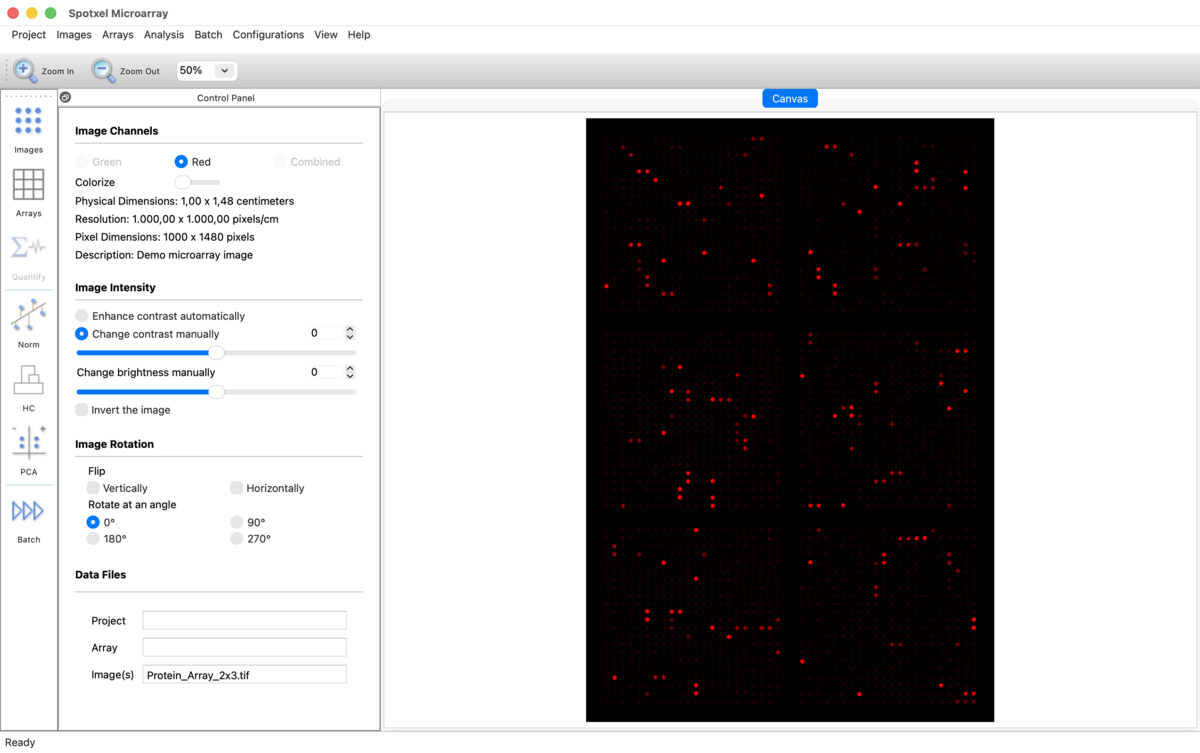
Spotxel® Microarray 4.1 provides intuitive tools for comprehensive microarray image and data analysis, supporting protein, antibody, peptide, and gene microarrays.
From image handling and array design to spot quantification, automated batch processing, data preprocessing, normalization, and data mining, Spotxel® Microarray provides an integrated workflow for obtaining and exploring reliable microarray data.
Spotxel® Microarray is compatible with Windows and macOS. Version 4.1 is currently available for Windows through the Microsoft Store. The Mac App Store release is in preparation.

Key Features
Microarray Image Handling
Load, view, enhance, rotate, and inspect single- and dual-color microarray images. Available free of charge.
GAL Array Editor
Create and edit GAL array layouts, spot information, block positions, dimensions, and orientations. Available free of charge.
Array Alignment and Quantification
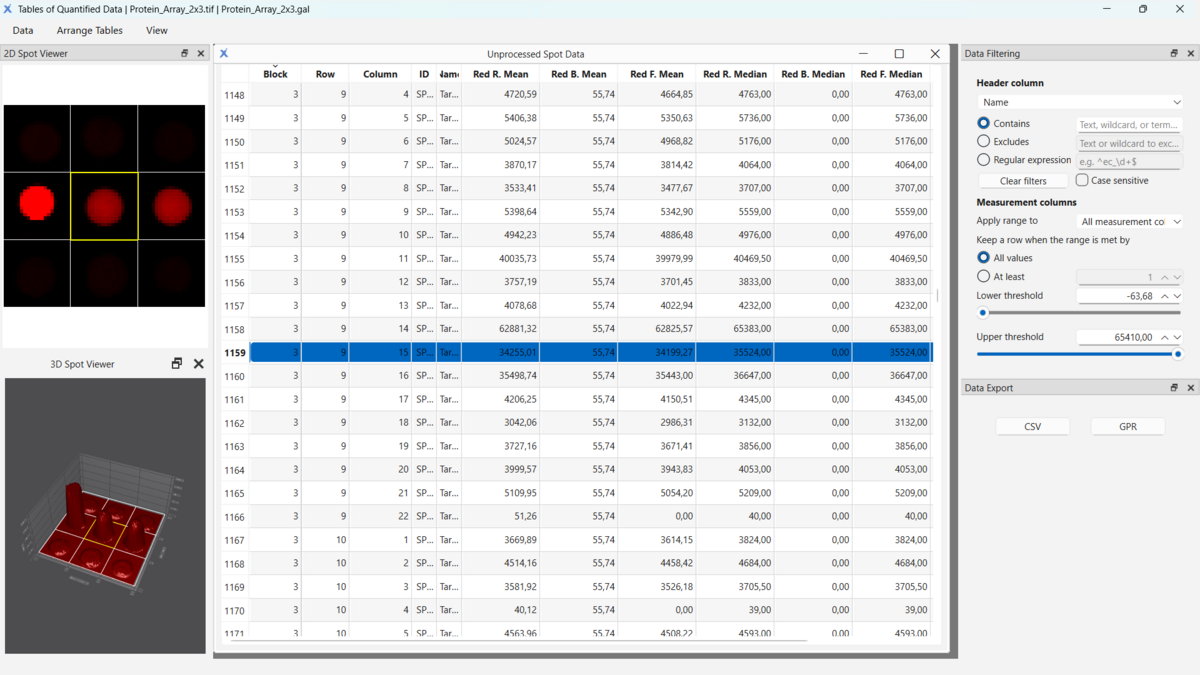
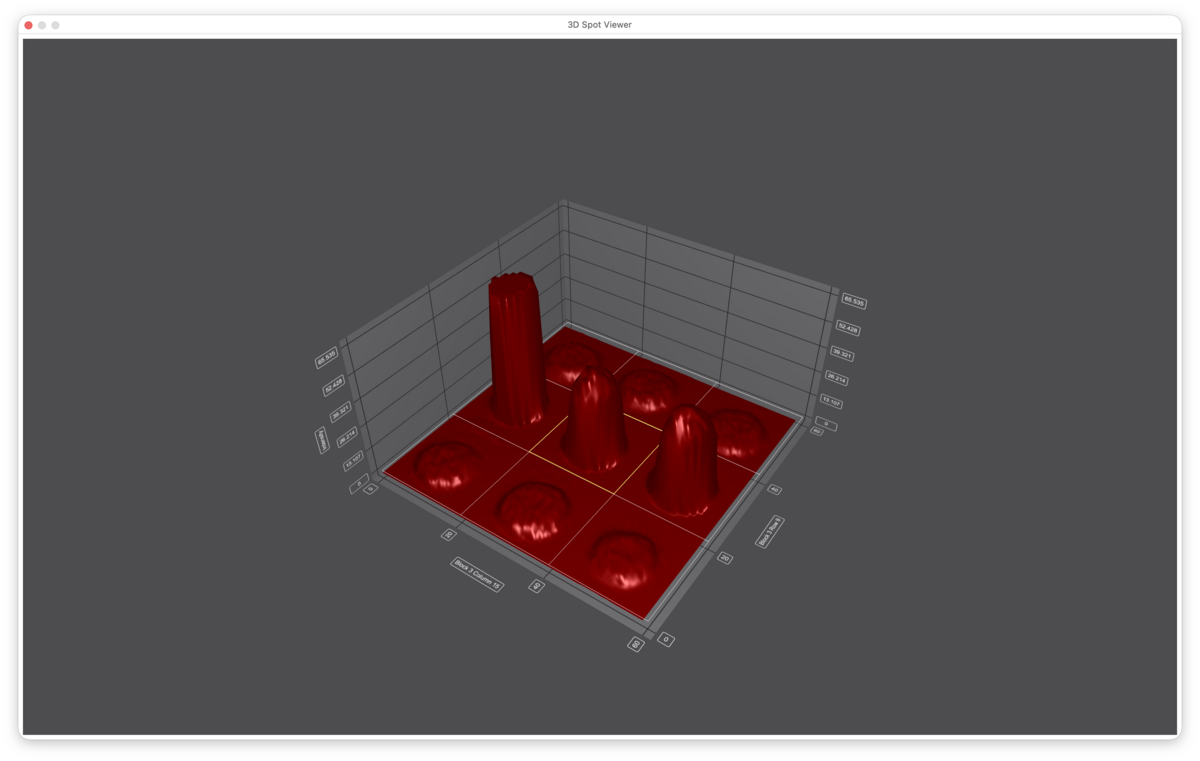
Automatically align array layouts and quantify spot signals using Flex-Spot, LoG-Spot, or Fixed-Spot detection.
Automated Batch Processing
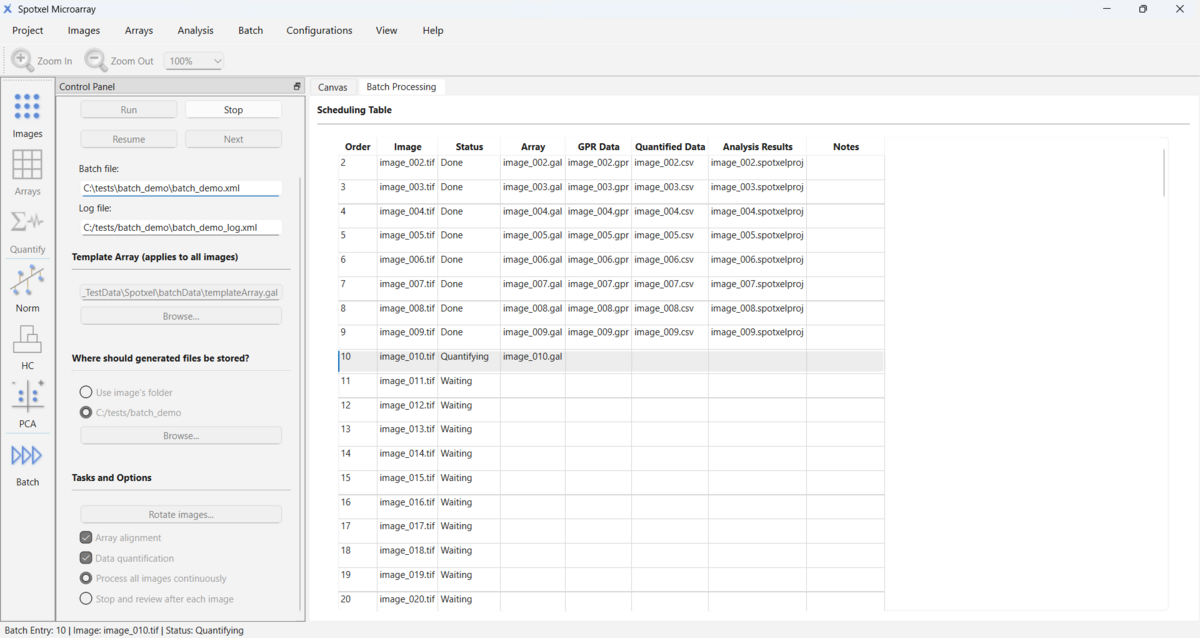
Apply a common array template and processing configuration to multiple microarray images automatically.
Data Preprocessing and Normalization
Filter quantified data, consolidate replicates, normalize measurements, and evaluate assay quality.
Data Mining
Explore features and samples using Principal Component Analysis (PCA) and Hierarchical Clustering Analysis (HCA).

Key Benefits
A Quick and Easy Way to Handle Microarray Images and Data
- Spotxel® Microarray streamlines microarray image analysis into four main steps: load the image, load or create the array, align the array, and quantify the data.
- Automatic array alignment supports standard spot layouts and provides configurable parameters for adapting the alignment to different array designs and acquisition conditions.
- Batch processing substantially reduces manual work by automatically aligning and quantifying multiple images using a common array template.
- Supports multiple screens, such as connecting a laptop to a monitor, for browsing quantified data or editing the array. Displaying the graphical canvas with array image on one screen and the data table on the other facilitates efficient analysis.
Improve Data Quality and Reliability
- Advanced noise processing and background correction help improve spot detection and signal estimation in challenging images.
- The software also provides data filtering, replicate processing, and normalization tools to prepare quantified data for further analysis.
Advanced Spot Detection
- Flex-Spot adapts to variations in spot shape, size, and position.
- LoG-Spot (GAL arrays) detects the most likely approximately circular spot and determines its center and diameter.
- Fixed-Spot quantifies signals using the predefined spot geometry.
Flexible Access Options
- Use Microarray Image Handling and the GAL Array Editor free of charge.
- Evaluate premium functionality through available Store trial options.
- Choose a 3-Month Subscription, 1-Year Subscription, or Perpetual License for Full access.
- Manage purchases, subscriptions, and license entitlements through the Store.
Seamless Compatibility and Tailored for Your Lab
The software is compatible with TIFF images from a variety of scanners and cameras:
- 8-bit, 16-bit, and 24-bit grayscale TIFF images
- 20-bit Extended Dynamic Range (XDR) images from compatible scanners
- single-page and multi-page TIFF files
- images with or without embedded resolution information
- single-color and dual-color microarray analysis
Seamlessly integrate Spotxel® Microarray into your existing workflow:
- Uses the widely adopted GAL format for array layouts.
- Supports both rectangular and hexagonal (orange packing) spot layouts.
- Supports PepSlide Designer (PSF) array files (*.psf).
- Exports results in CSV and GPR formats for easy downstream analysis.
Selected Publications using Spotxel® Microarray
- Molinos-Albert LM, Baquero E, Planchais C, et al. Structural basis for hepatitis E virus neutralization by potent human antibodies . Science Advances. 2025.
- Toshkova N, Zhelyzkova V, Reyes-Ruiz A, et al. Temperature sensitivity of bat antibodies links metabolic state of bats with antigen-recognition diversity . Nature Communications. 2024.
- Molinos-Albert LM, Planchais C, et al. Anti-V1/V3-glycan broadly HIV-1 neutralizing antibodies in a post-treatment controller . Cell Host & Microbe. 2023.
- Planchais C, Fernández I, Bruel T, et al. Potent human broadly SARS-CoV-2–neutralizing IgA and IgG antibodies effective against Omicron BA.1 and BA.2 . Journal of Experimental Medicine. 2022.
- Poulsen TBG, Damgaard D, Jørgensen MM, et al. Identification of potential autoantigens in anti-CCP-positive and anti-CCP-negative rheumatoid arthritis using citrulline-specific protein arrays . Scientific Reports. 2021.
For a more comprehensive list of publications using the software, see the Publications page.
Discover More About Spotxel® Microarray
Below, you will find YouTube videos showcasing the advancements in our software.
Navigation Information
You can access the subpages through the following links: